
X Purge Assistant
Prune your X following list.
Mark the accounts you want to keep, unfollow the rest. Everything is stored locally in your browser and nothing is sent anywhere.
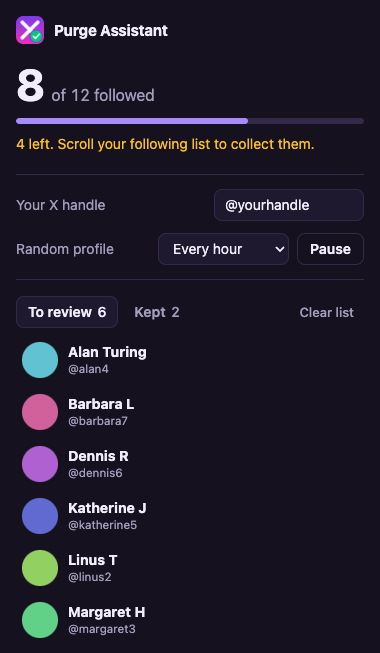
How it works
- Load the extension unpacked at chrome://extensions (Developer mode), then refresh x.com.
- Enter your handle in the popup. Nothing runs until it is set.
- Open your following list and scroll to collect it. The popup shows tracked vs X's reported total.
- Click Keep next to accounts you want to keep, then unfollow the rest on X.
- Optional: set an interval to have a random non-kept account opened in a new tab every so often.
Unofficial project, not affiliated with or endorsed by X Corp. It reads X's unofficial web responses and page markup, so it can break whenever X changes them. Automated activity may conflict with X's terms of service. Use at your own risk.